SOUND 001
● 100 UNIQUE MP3 TONES
Ding Sound Effect
Ding Sound Effect
for Every Moment
Preview clean dings, bell sounds, correct-answer tones, checkmark pings, YouTube cues, TikTok edits, meme dings and polished UI notifications—then download the exact MP3 you need.
100 different soundsInstant previewDirect MP3 download
100 different ding sounds
Download Full Pack
100 Ding Sound Effects. All Different.
Four compact rows move continuously from right to left. Preview polished bell dings, correct-answer cues, checkmark sounds, YouTube and TikTok dings, meme tones, soft notifications and clean UI pings.
Clean
SOUND 002
Minimal Glass Ding
SOUND 003
Neutral Notification Ding
SOUND 004
Crisp Desk Chime
SOUND 005
Clear Single Ping
SOUND 006
Polished Alert Ding
SOUND 007
Simple Focus Chime
SOUND 008
Light Inbox Ding
SOUND 009
Pure Confirmation Ping
SOUND 010
Modern Clean Ding
SOUND 011
Crystal Spark Ding
SOUND 012
Silver Ping Chime
SOUND 013
High Shine Ding
SOUND 014
Bright Pop Chime
SOUND 015
Sparkle Alert Ping
SOUND 016
Neon Ding
SOUND 017
Clear Star Chime
SOUND 018
Sunny Notification Ding
SOUND 019
Diamond Tap Ping
SOUND 020
Flash Bright Ding
SOUND 021
Classic Bell Ding
SOUND 022
Reception Bell Ding
SOUND 023
Small Brass Bell
SOUND 024
Soft Service Bell
SOUND 025
Double Bell Chime
SOUND 026
Round Bell Ring
SOUND 027
Vintage Bell Ding
SOUND 028
High Bell Tap
SOUND 029
Warm Bell Chime
SOUND 030
Long Bell Tail
SOUND 031
Soft Pillow Ping
SOUND 032
Mellow Ding
SOUND 033
Gentle Chime
SOUND 034
Calm Notification Ding
SOUND 035
Warm Soft Bell
SOUND 036
Quiet Glass Ping
SOUND 037
Subtle Success Ding
SOUND 038
Low Soft Chime
SOUND 039
Airy Ding
SOUND 040
Smooth Notification
SOUND 041
Correct Answer Ding
SOUND 042
Quiz Success Chime
SOUND 043
Right Choice Ping
SOUND 044
Positive Double Ding
SOUND 045
Success Major Third
SOUND 046
Correct Reveal Chime
SOUND 047
Win Confirmation Ding
SOUND 048
Answer Accepted Ping
SOUND 049
Bright Correct Tone
SOUND 050
Perfect Score Ding
SOUND 051
Checkmark Quick Ping
SOUND 052
Check Confirm Ding
SOUND 053
Task Complete Chime
SOUND 054
Done Tick Ding
SOUND 055
Verified Ping
SOUND 056
Save Complete Tone
SOUND 057
Upload Complete Ding
SOUND 058
Green Check Chime
SOUND 059
Mini Success Tap
SOUND 060
Checked Off Ping
SOUND 061
YouTube Creator Ding
SOUND 062
Subscribe Cue Ding
SOUND 063
Video Reveal Ping
SOUND 064
Editing Marker Ding
SOUND 065
Title Pop Chime
SOUND 066
Chapter Transition Ding
SOUND 067
Tutorial Success Ping
SOUND 068
On-Screen Text Ding
SOUND 069
Creator Notification Ping
SOUND 070
End Card Chime
SOUND 071
TikTok Quick Ding
SOUND 072
Short Spark Ping
SOUND 073
Swipe Reveal Chime
SOUND 074
Fast Text Pop Ding
SOUND 075
Viral Cue Ding
SOUND 076
Punchy Mini Bell
SOUND 077
Snap Transition Ping
SOUND 078
Loop Marker Chime
SOUND 079
Short Bright Tap
SOUND 080
Trend Edit Ding
SOUND 081
Meme Dramatic Ding
SOUND 082
Cartoon Success Bell
SOUND 083
Funny Double Ding
SOUND 084
Overdone Sparkle Chime
SOUND 085
Retro Game Ding
SOUND 086
Comic Reveal Chime
SOUND 087
Suspense Resolve Ping
SOUND 088
Big Brain Ding
SOUND 089
Lucky Win Ding
SOUND 090
Irony Confirmation Chime
SOUND 091
UI Success Tone
SOUND 092
System Notification Ding
SOUND 093
App Toast Chime
SOUND 094
Message Received Ping
SOUND 095
Button Confirm Tone
SOUND 096
Modal Success Ding
SOUND 097
Settings Saved Chime
SOUND 098
New Item Ping
SOUND 099
Complete Action Tone
SOUND 100
Micro Interaction Ding
Hover a row to pause it. Playing a sound also pauses that row until the preview ends.
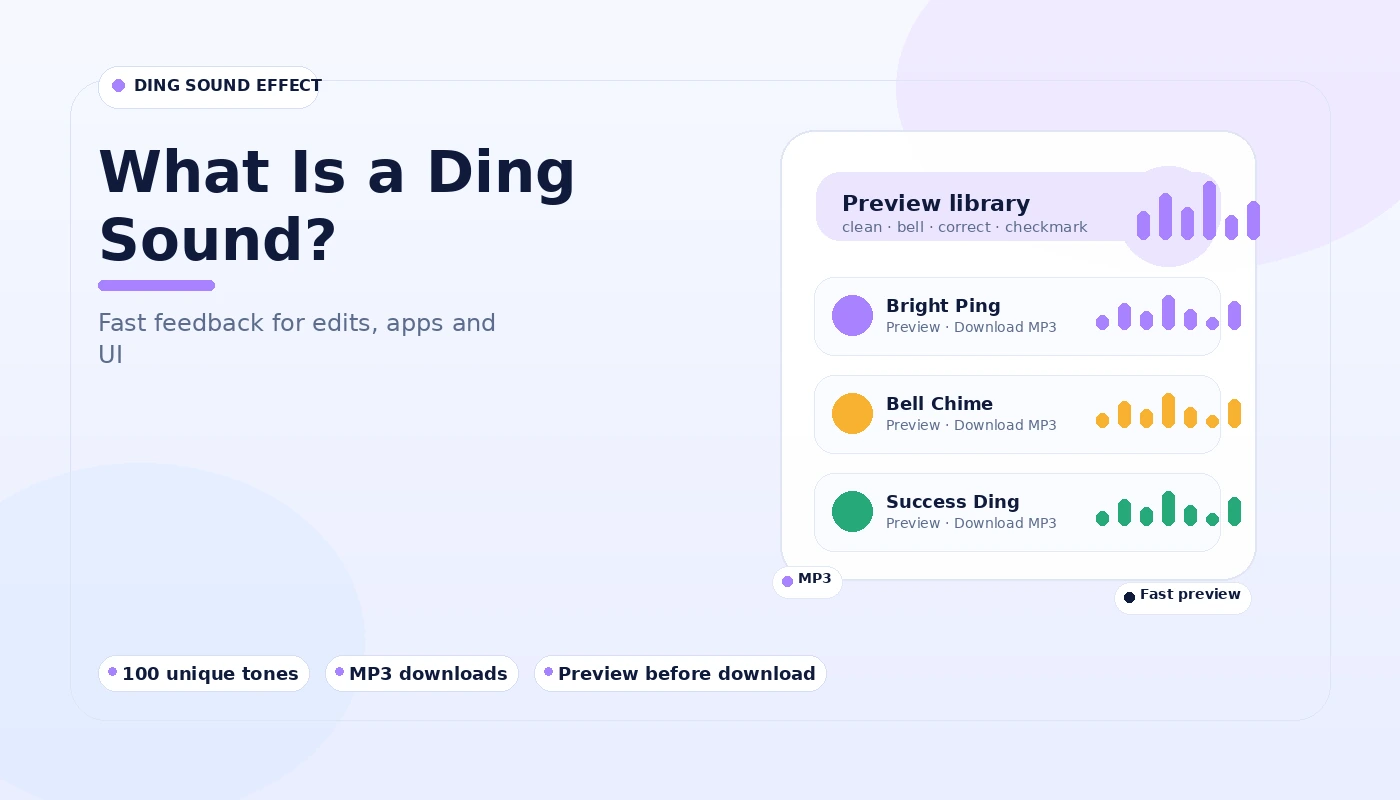
What is a ding sound effect?
A small sound that makes an action feel clear.
A ding is a compact audio cue. It can signal that something is complete, correct, selected, received or ready. Because the sound is brief and recognizable, editors and interface designers often use it when they need feedback without a long musical clip.
Short by design
Most files are under two seconds, so they fit quick edits and UI moments.
Easy to compare
Each card shows style, duration, preview and a direct MP3 download.
Features
Built around the sound, not clutter.
The page keeps the controls simple while giving you enough information to choose a tone confidently.
▶
One-tap preview
Listen before downloading, with one active preview at a time.
↓
Individual MP3 downloads
Save only the sounds you need instead of downloading a large library first.
✦
Keyword-led categories
Bell, correct, checkmark, YouTube, TikTok, meme, soft, bright and UI families make comparison faster.
100
Large tone set
Ten style groups with ten variations each for a total of 100 files.
How it works
Find a ding in three steps.
Search or browse
Browse the four moving rows and compare bell, correct, checkmark, YouTube, TikTok, meme, soft and UI ding styles.
Preview the sound
Press Preview to hear the file directly in your browser. Press it again to stop.
Download MP3
Choose Download MP3 on the matching card and use the file in your compatible editor, app or device.
Compatibility
Standard MP3 files for common tools and devices.
These sounds are stored as MP3 audio, a format supported by most modern browsers, video editors, presentation tools, desktop systems and mobile devices.
Windows
macOS
Android
iPhone / iPad editors
YouTube workflows
TikTok workflows
Presentation software
Web prototypes
Use cases
Different dings for different moments.
Video editing
Use clean or bright dings for text reveals, timestamps, list items and subtle transitions without pulling focus from narration.
Correct answers
Rising two-note sounds work well for quizzes, educational clips and visual checkmarks that need positive confirmation.
Notifications
Short UI and soft dings can signal completion, incoming activity or a successful action in personal prototypes and device customizations.
Bell moments
Longer bell dings add a clearer ring and can suit reminders, service-counter style cues or attention moments.
Meme edits
Multi-note meme dings are intentionally more noticeable and can accent reactions, punchlines and exaggerated on-screen moments.
Social clips
Fast bright tones can match quick cuts in vertical video where the audio cue should arrive and disappear quickly.
Installation / Setup
No installer is needed.
These are ordinary audio files. Download an MP3, place it in your project folder or device audio folder, then import or select it inside the app you are using. For video projects, keep the original file in your media folder so the editor does not lose track of it.
If you use a sound as a device notification, the required folder and menu can differ by operating system and manufacturer.
Simple file workflow
- Download the selected MP3.
- Rename it if your project needs a clearer label.
- Import it into your editor or copy it to your notification folder.
- Adjust clip volume to match the surrounding audio.
Main Download
Download the Ding Sound Effect pack.
The main pack link is provided for visitors who prefer a single archive. You can also download any of the 100 MP3 sounds individually from the four scrolling rows near the top of the page.
Download Ding Sound Effect
Safety notice
Keep playback at a comfortable volume, especially when previewing brighter bell or meme tones through headphones. Very short notification sounds can feel louder than expected when mixed near 0 dB.
Pros and cons
When a ding is the right sound.
Good fit
- Fast feedback without a long musical cue
- Positive confirmation or checkmark moments
- Short edits where timing matters
- Notifications that should remain compact
- Projects that need many variations to compare
Less suitable
- Long atmosphere or background music
- Scenes that require speech or narration
- Very quiet emotional sequences where a bright transient may feel abrupt
- Situations where repeated alerts could become distracting
- Projects that specifically require another audio format
Release information
Current library: 100 MP3 ding variations.
Library size
100 files across 10 tone families.
Format
MP3 audio at 128 kbps for convenient download and playback.
Updated
September 2026 site release with a searchable static library.
Troubleshooting
Common playback and download issues.
Preview does not start
Tap Preview after the page is fully loaded. Browsers normally block audio that tries to start without a user action.
File opens instead of saving
Some browsers open MP3 files in a player. Use the browser save control or the download option in the player menu.
Sound feels too loud
Reduce the clip gain in your editor or choose a Soft category ding before applying extra processing.
Guides preview
Learn how to choose and use ding sounds.
Ding sound MP3 download guide
How to preview, save, organize and reuse short MP3 ding files.
Read guide →
YouTube ding sound effect guide
Choose dings that support edits without fighting dialogue.
Read guide →
Checkmark ding sound effect
Use rising confirmation tones for success and completion cues.
Read guide →
FAQ
Ding sound effect questions.
Twenty focused answers about choosing, previewing, downloading and using the sound files on this site.
A ding sound effect is a short tonal cue commonly used for notifications, confirmations, correct answers, transitions, alerts and light UI feedback.
Yes. Every sound card on this page points to an individual MP3 file that can be previewed and downloaded directly.
Yes. Use the Preview button on any sound card. Starting another preview stops the previous sound so only one tone plays at a time.
Bell tones have a longer ringing character, while correct and checkmark dings use short rising note patterns intended for positive feedback.
Short clean, bright and YouTube-labeled dings are designed for edits where a quick cue is needed without covering dialogue.
TikTok-labeled and bright dings are short and crisp, making them useful for fast cuts, text reveals and confirmation moments.
MP3 is widely supported by common desktop, mobile and browser-based video editors. Import the downloaded file as an audio asset.
Yes, provided your device or app accepts custom MP3 audio. Some phones may require moving the file into a Notifications or Ringtones folder.
Different uses need different decay times. UI dings are very short, while bell-style sounds ring out longer for a more noticeable cue.
The 100 cards are arranged across four scrolling rows and named by practical intent, including bell, correct, checkmark, YouTube, TikTok, meme and UI styles.
Find a sound, preview it if needed, then select Download MP3. The browser will save or open the file according to your download settings.
Use the main full-pack button in the Download section. Individual MP3 downloads remain available in the 100-sound library.
Modern browsers normally require a user interaction before audio can play. Press Preview once to start the requested sound.
Use your browser audio controls or save command. Browser behavior can vary, especially on mobile devices.
Yes. Renaming the local file does not change the sound. Keep the .mp3 extension so apps can identify the format.
Lower the clip gain or volume inside your editing software. For dialogue-heavy videos, a subtle level usually sounds cleaner than a loud alert.
Choose a Soft or Clean category sound and reduce the level. You can also use a short fade if your editor supports it.
Move or copy the file into the device folder used for notifications or ringtones, then reopen the sound picker. Exact steps vary by device.
Yes. The Meme category includes more exaggerated multi-note dings intended for comedic edits and reaction moments.
The Guides section covers YouTube, TikTok, checkmark, bell, meme and general MP3 download use cases, with practical selection tips.